
Android TV
BlackHole Music App for Android TV—Best Free Guide 2026
Enjoying music on a big screen should feel effortless, without annoying ads or pricey subscriptions getting in the way. The BlackHole Music App for Android TV makes that possible by giving you free access to a massive library of songs, curated playlists, and even podcasts—all streamed in high quality and completely ad-free.
Created specifically for Android devices, including Android TV, BlackHole connects to multiple music sources like YouTube Music, Spotify, and JioSaavn, allowing you to explore a wide variety of tracks. Whether you want energetic beats for your workout, soothing background music after a long day, or playlists that match your mood, BlackHole delivers it seamlessly.
With a straightforward installation process and a clean, user-friendly design, the BlackHole APK for Android TV transforms your television into a full-fledged entertainment center. It’s more than just a streaming app—it’s a smarter way to enjoy music on your TV, tailored to your lifestyle.
How to Download and Install the BlackHole Music App for Android TV?
The BlackHole Music App for Android TV isn’t available on the Google Play Store yet, so you’ll need to install it manually using its APK file. Don’t worry—this process is safe, quick, and only takes a few minutes. Follow the steps below to get BlackHole running smoothly on your Android TV.
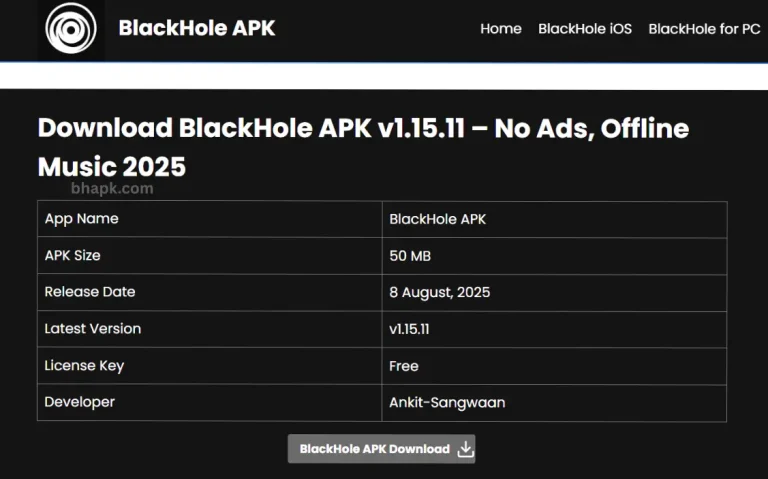
Step 1: Download BlackHole APK
If your Android TV has a built-in browser, open it and search for the BlackHole Music APK on a trusted source (https://bhapk.com/) or other reliable APK providers. Download the file directly to your TV.
If your TV doesn’t have a browser, download the APK file on your phone or computer first. Then, transfer it to your Android TV using either:
- A USB flash drive, or
- Use a file-sharing app such as Send Files to TV for the transfer process.
Before sideloading, many users wonder, is the BlackHole Music App safe?—here’s a detailed guide you can check.
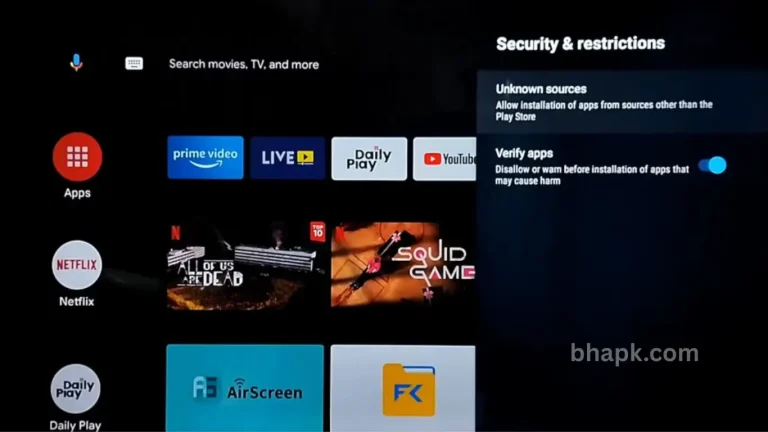
Step 2: Enable Unknown Sources on Android TV
By default, Android TV blocks third-party apps for security reasons. To allow BlackHole installation:
- Open Settings on your Android TV.
- Navigate to Device Preferences > Security & Restrictions.
- Enable the option Install Unknown Apps (sometimes shown as Unknown Sources).
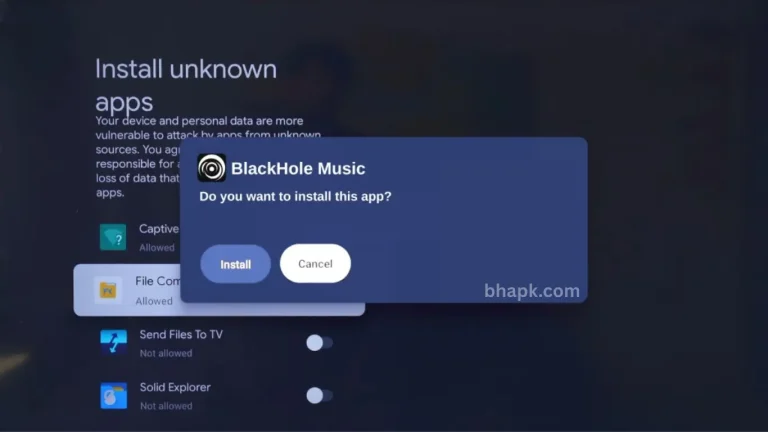
Step 3: Install BlackHole Music on Android TV
Now that the APK is on your TV, you just need to install it:
- Open your file manager app. If you don’t already have one, install AnExplorer or X-plore File Manager from the Google Play Store.
- Locate the BlackHole Music APK file.
- Select it and click Install.
- Wait a few seconds for the process to finish.
Once installed, you’ll see the BlackHole Music App in your apps list. Launch it, log in if needed, and start enjoying ad-free, high-quality music right on your big screen.
Key Features of BlackHole Music App
High-Quality Audio:
- Enjoy music in rich, clear sound with streaming support up to 320 kbps. You can also adjust the quality based on your needs. This is one of the best reasons BlackHole stands strong against BlackHole Music vs Deezer.
Ad-Free with Unlimited Skips:
- Listen without any ads getting in the way, and skip through as many songs as you want.
Podcast Access:
- Search for your favorite podcasters by name and play their episodes directly in the app.
Customizable Interface:
- Switch between light or dark themes, change colors, and adjust fonts to give the app your own look.
Real-Time Lyrics:
- See lyrics as the song plays, highlighted line by line so you can follow or sing along easily.
Sleep Timer:
- Set the app to stop music after a specific time or number of tracks, perfect for winding down at night.
BlackHole Music App for Android TV—FAQs
What is the BlackHole Music app for Android TV?
It’s a free music streaming app that brings millions of ad-free songs, playlists, and podcasts to your Android TV.
Is the BlackHole Music app available on the Google Play Store?
No, it’s not on the Play Store. You’ll need to sideload the APK to install it on your TV.
Does BlackHole work on all Android TV models?
Yes, it works on most Android TVs as long as APK side-loading is supported.
Is the BlackHole Music app safe to use on Android TV?
Yes, it’s an open-source app developed for secure and private use without ads or trackers.
How is BlackHole different from Spotify on TV?
Unlike Spotify’s free version, BlackHole has no ads, no skip limits, and doesn’t charge anything. Here is an in-depth guide about BlackHole vs Spotify.
Does it support podcasts?
Yes, you can search for your favorite podcasters and play their shows directly in the app.
Conclusion—BlackHole Music App for Android TV
The BlackHole Music App for Android TV is one of the best choices for anyone who wants to enjoy ad-free, high-quality music on the big screen without paying for subscriptions. With support for 320 kbps audio, unlimited skips, podcasts, and a customizable interface, it delivers everything a music lover could ask for.
Since it isn’t available on the Google Play Store, you’ll need to install it using the APK file—but once set up, it transforms your Android TV into a complete home music hub. If you’re looking for a free, safe, and powerful alternative to apps like Spotify, BlackHole is definitely worth trying.